think git – What is git? – git functions

think git
3a253b - Initial commit
This talk is about the software git
What is git?
Most you have have probably heard of git, but if you haven't - git is a version control tool. It's just a fancy way of saying you track what changes you are making to a file. You've probably used a version control tool, or maybe even invented one that works for you.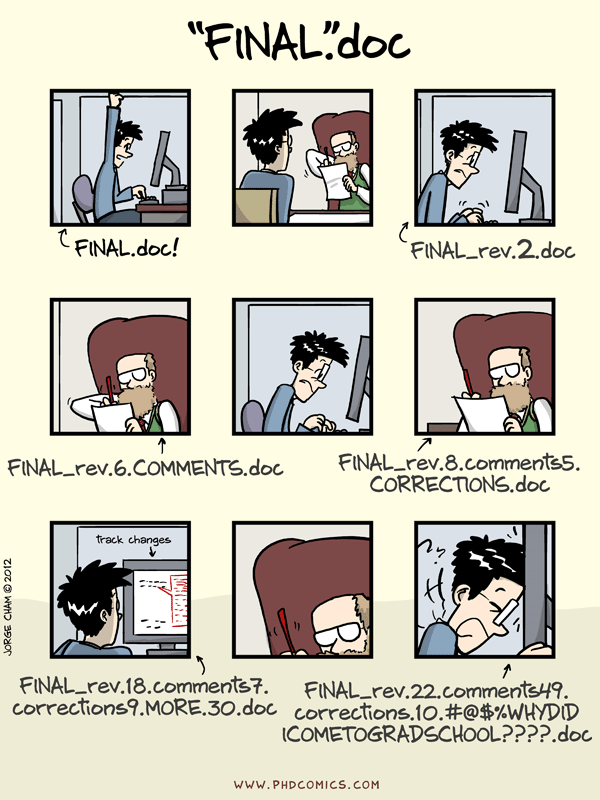

git is a supplement to your workflow
The first thing to understand is that git is a supplement to your current workflow. You can work the way you usually work, and all you have to do is use git every time you want to save your progressWorkflow
Edit files
$EDITOR
Save changes
git commit
Before we talk about git, let's talk about workflow.
This is a simple example of a workflow. You edit a file and you save the file. SPC.
Once you reach what you consider a stable state, you can save the file as a different name as backup, or save it on dropbox or however you usually implement a version control system
When you use git however, you don't have to save a different version of the file.
When you are ready to save the current version of the file as a backup, you do that in git by taking a snapshot of the current state.
You can take a "snapshot" of the current state of a file by using a command called git commit.
What really happens is that when you can create a "snapshot", it records the current state of all the files in the directory being tracked.
git commit
What's your story
Big idea #1
git history is a graph So that's big idea number 1, git history is a graph that you can traverse, allowing you to move to any "saved" state in a projectgit functions
git help --all
usage: git [--version] [--help] [-C ] [-c name=value]
           [--exec-path[=]] [--html-path] [--man-path] [--info-path]
           [-p|--paginate|--no-pager] [--no-replace-objects] [--bare]
           [--git-dir=] [--work-tree=] [--namespace=]
            []

available git commands in '/Applications/Xcode.app/Contents/Developer/usr/libexec/git-core'

  add                       clone                     fast-import               interpret-trailers        notes                     remote-testsvn            submodule
  add--interactive          column                    fetch                     log                       p4                        repack                    subtree
  am                        commit                    fetch-pack                ls-files                  pack-objects              replace                   svn
  annotate                  commit-tree               filter-branch             ls-remote                 pack-redundant            request-pull              symbolic-ref
  apply                     config                    fmt-merge-msg             ls-tree                   pack-refs                 rerere                    tag
  archimport                count-objects             for-each-ref              mailinfo                  patch-id                  reset                     unpack-file
  archive                   credential                format-patch              mailsplit                 prune                     rev-list                  unpack-objects
  bisect                    credential-cache          fsck                      merge                     prune-packed              rev-parse                 update-index
  bisect--helper            credential-cache--daemon  fsck-objects              merge-base                pull                      revert                    update-ref
  blame                     credential-osxkeychain    gc                        merge-file                push                      rm                        update-server-info
  branch                    credential-store          get-tar-commit-id         merge-index               quiltimport               send-email                upload-archive
  bundle                    cvsexportcommit           grep                      merge-octopus             read-tree                 send-pack                 upload-pack
  cat-file                  cvsimport                 gui--askpass              merge-one-file            rebase                    sh-i18n--envsubst         var
  check-attr                cvsserver                 hash-object               merge-ours                receive-pack              shell                     verify-commit
  check-ignore              daemon                    help                      merge-recursive           reflog                    shortlog                  verify-pack
  check-mailmap             describe                  http-backend              merge-resolve             relink                    show                      verify-tag
  check-ref-format          diff                      http-fetch                merge-subtree             remote                    show-branch               web--browse
  checkout                  diff-files                http-push                 merge-tree                remote-ext                show-index                whatchanged
  checkout-index            diff-index                imap-send                 mergetool                 remote-fd                 show-ref                  write-tree
  cherry                    diff-tree                 index-pack                mktag                     remote-ftp                stage
  cherry-pick               difftool                  init                      mktree                    remote-ftps               stash
  citool                    difftool--helper          init-db                   mv                        remote-http               status
  clean                     fast-export               instaweb                  name-rev                  remote-https              stripspace

git commands available from elsewhere on your $PATH

  loglive

'git help -a' and 'git help -g' list available subcommands and some
concept guides. See 'git help ' or 'git help '
to read about a specific subcommand or concept.
So we know that git history is a graph, right? And
This graph that we created has to be stored somewhere, right?
This graph is stored in a .git folder
Every folder on your computer that has a .git folder is git repository.
There is only one such .git folder in a git repo.
all git commit does, is add content to that .git folder.
and git commit is only just one function that git provides
what if you wanted to do more, like manipulate an existing snapshot, delete a set of changes, reorder your history.
git offers you other tools to do that.
git is essentially a toolkit that contains a bunch of functions that help organize snapshots of content.
This is a list of all the functions available to you.
Note - git is not github. what is github? github stores git repository in the internet and that's basically all it does
So, as I was saying this is the list of functions
git help --all
usage: git [--version] [--help] [-C ] [-c name=value]
           [--exec-path[=]] [--html-path] [--man-path] [--info-path]
           [-p|--paginate|--no-pager] [--no-replace-objects] [--bare]
           [--git-dir=] [--work-tree=] [--namespace=]
            []

available git commands in '/Applications/Xcode.app/Contents/Developer/usr/libexec/git-core'

  add                       clone                                                                                                                             submodule
  add--interactive                                    fetch                     log
  am                        commit
  annotate
  apply                                                                                                                                                       tag
                                                                                                                                    reset
  archive                                             format-patch
  bisect                                                                        merge
  bisect--helper                                                                                          pull                      revert
  blame                                               gc                                                  push                      rm
  branch
                                                      grep
                                                      gui--askpass                                        rebase

                            daemon                    help                                                reflog

                            diff                                                                          remote
  checkout


  cherry-pick                                         init                                                                          stash
                                                                                mv                                                  status
  clean                                               instaweb

git commands available from elsewhere on your $PATH

  loglive

'git help -a' and 'git help -g' list available subcommands and some
concept guides. See 'git help ' or 'git help '
to read about a specific subcommand or concept.
But you don't have to use every one of the functions available. I've only every had to use a handful.
because Git was initially a toolkit for a VCS rather than a full user-friendly VCS, it has a bunch of verbs that do low-level work and were designed to be chained together UNIX style or called from scripts. These commands are generally referred to as “plumbing” commands, and the more user-friendly commands are called “porcelain” commands.
https://git-scm.com/book/en/v2/Git-Internals-Plumbing-and-Porcelain
Workflow
git init
Edit files
$EDITOR
Group changes
git add
Review changes
git status
Save changes
git commit
Let's talk about our workflow again. To actually use git we need to add a couple of steps to the workflow we talked about earlier. We group changes before committing them.
And we do this using the git add command.
if we open a folder and try to "git add" a file, git will throw us an error. it doesn't know where to add the file to. We need to create a .git folder first and we do that using git init. You only need to do this once for a project, at the every beginning. If a project is already using git, then that .git folder exists and you can run any git command.
the git add command, adds the content you specify to a "staging area"
You can add multiple files at the same time to the staging area
And then, when you call the git commit function, git takes everything that is in the staging area and pushes it into a new snapshot
Think of the content in the staging area as the changes you would like your next snapshot to represent
SPC
Before you commit these changes to a new snapshot, you might want to review your changes.
SPC
git status is used to review your changes,
SPC
And to actually save this snapshot you can use git commit
demo
demo
Big idea #2
Difference between Head, Index and Working directory LinkBranches
git branch master
git checkout -b feature
git checkout master
git merge master
Big idea #3
branches are just labelsMerge Conflict
demo
Best Mergetools
Link There are mergetools out there other than vim, kdiff3 is open source and free on all platforms. p4merge is great.Changing history
git rebase master
demo
demo
Big idea #4
Local commits are yours to do with what you likeRemote
git pull = git fetch + git merge
demo
Big idea #5
Remote is special branch, but a branch nonethelessReview of big ideas
git history is a graph
Difference between working directory, staging area and .git repository
Branches are just labels
Remote is a branch too
Local history is whatever you make it
Best practices
Commit related changes
Commit often
Branches are inexpensive
Push to master only if tests pass
Write good commit messages!
Discuss workflow with team
Less of this and more of this
Source code for this presentation
Additional slides
Advantages of git
- Free
- Fast
- Secure
- Supports multiple non linear workflows
- Easy to learn
Free as in [beer, speech]
Free to download for Windows, OSX, Linux. Free to modify under the GNU General Public License version 2.Small
The Mozilla project's CVS repository is about 3 GB; it's about 12 GB in Subversion's fsfs format. In Git it's around 300 MB. git repositories are usually smaller than CVS repository for the same source code and history. git is efficient at storing content and changes in content.Fast
Link git repositories are fast. Table above shows some comparisons of svn vs git. svn requires a central repository to operate, whereas git is entirely local. This means no network latencies. This also means a few other things, the entire project is on your local machine i.e. EVERYONE that has cloned the repository has the entire history of the project on their machine as well. Distributed backup.Distributed non linear workflows
Subversion-Style Workflow Link
git allows you to use it the way you want. You can use it exactly like how you would svn.Distributed non linear workflows
Integration Manager Workflow Link
git also allows you to pick and compile specific changes from anyone else that has made their repository publicDistributed non linear workflows
Dictator and Lieutenants Workflow Link
Workflow followed by Linux devs, where Linus has a repository on his local machine that no one else has access to.- git is not GitHub
- git is not Dropbox
- git is not svn
CVS
SVN stores differences in the form of deltas.Git
git however, stores snapshots. People often assume that git stores the differences between files, but that is not true. git tracks content and not files. The way git wins, is by reusing the same "blob" in different snapshots if the file has not changed.A brief history of Git
- git is British English slang for "unpleasant person".
- Linus Torvalds likes to name projects after himself
The Parable by Tom Preston-Werner (Founder of GitHub) Link
This article goes through the steps one may attempt to create a version control system. In this hypothetical scenario one may start off by creating multiple folders as a backup. The final VCS that is arrived at is very similar to git. The author is the founder of GitHubgit blame README Link
think git
This talk is about the software git